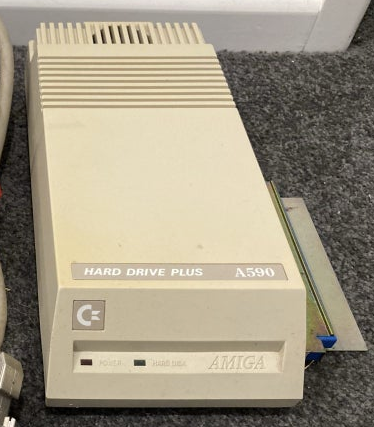
A590 Restoration #2
My second A590 looked a much nicer shade of beige rather than yellow. This one came with an original Commodore PSU. V6.0 ROMs, no RAM and the same Western Digital XT hard drive.
I disassembled it first before turning it on for the first time. It was mostly dust free. Checked to make sure drive would spin before power up (yes no problem, unlike my first one) before brushing out dust and re-assembling it. I used my own built power supply first of all as I didn't know if the original Commodore one was safe to use yet.
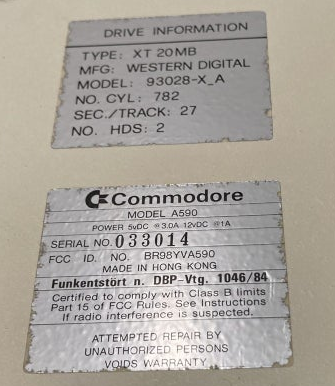
Power it up and crossing my fingers it spun up and I was greeted again by the error message ‘NON DOS disk’. I booted into the A590 setup disk I'd used on my first A590 and it did not seem to be formatted. It was while attempting to recover whatever was on the hard drive that I did some more research and found there was more than one version of the A590 setup disk. I should have been using the Western Digital version. Some googling later and I tracked down a copy and tried with this version, but like my first drive I couldn't read the HD or format it. This time it almost got all the way through but errored and bombed out. So another dead drive. While I could look to disassemble the drive that would be something I might try another time.
I populated the PCB with some RAM chips and confirmed it worked along with transferring over the ZuluSCSI from my other A590 and confirmed it was fully functional.
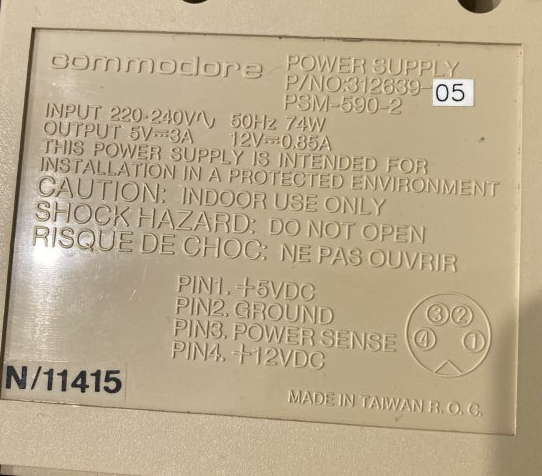
I tested the Commodore power supply on the bench with my multi meter and it worked fine with the correct voltages. I probably should replace the capacitors in it so that's on my todo list.
I've decided to leave this one original for now so it still has the original drive in it.